
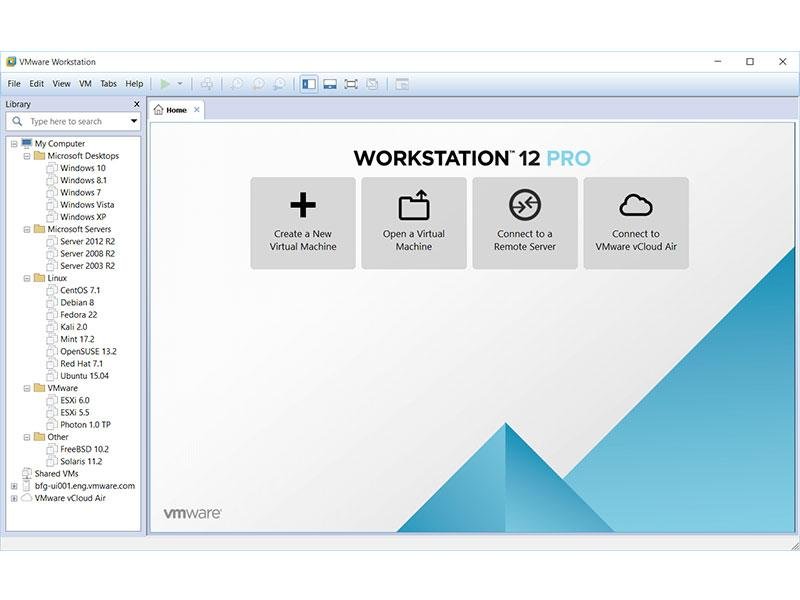
Virtualization software allows users to run multiple operating systems on a single computer without modifying their primary installation. Among the most popular virtualization platforms are VMware Workstation and VirtualBox. Both tools are widely used by developers, IT professionals, students, and technology enthusiasts for testing software, creating virtual labs, and running multiple operating systems simultaneously.
Although VMware and VirtualBox share many similarities, they differ significantly in performance, features, ease of use, and pricing. In this comparison guide, we’ll examine their strengths and weaknesses to help you decide which virtualization solution is best for your needs in 2026.
Table of Contents
ToggleWhat Are VMware and VirtualBox?
VMware Workstation
VMware Workstation is a professional virtualization platform designed for advanced users, developers, and enterprise environments. It offers powerful features such as snapshots, advanced networking, virtual TPM support, and high-performance virtual machines.
VirtualBox
VirtualBox is a free and open-source virtualization application developed by Oracle. It provides a simple way to create and manage virtual machines without requiring a paid license.
Both platforms support multiple operating systems, including Windows, Linux, and various server environments.
Quick Comparison Table
| Feature | VMware Workstation | VirtualBox |
|---|---|---|
| Price | Paid (some free editions available) | Free |
| Performance | Excellent | Good |
| Snapshots | Advanced | Basic |
| Networking | Advanced | Moderate |
| Windows 11 Support | Excellent | Good |
| Ease of Use | Good | Very Good |
| Professional Features | Extensive | Limited |
| Resource Optimization | Excellent | Good |
This table highlights the primary differences between the two platforms.
Installation and Setup
Both virtualization tools are relatively easy to install.
VMware Setup
VMware provides a polished installation wizard and automatically detects hardware virtualization support.
VirtualBox Setup
VirtualBox also offers a straightforward installation process and is beginner-friendly.
Setup Comparison
| Category | VMware | VirtualBox |
|---|---|---|
| Installation Speed | Fast | Fast |
| User Interface | Professional | Simple |
| Initial Configuration | Easy | Easy |
| Learning Curve | Moderate | Beginner-Friendly |
VirtualBox may be slightly easier for first-time users.
Performance Comparison
Performance is often the deciding factor when choosing virtualization software.
VMware Workstation generally delivers better overall performance, especially when running multiple virtual machines or resource-intensive operating systems.
VMware Advantages
- Better CPU optimization.
- Faster virtual machine startup.
- Improved graphics support.
- More efficient memory management.
VirtualBox Advantages
- Lower cost.
- Lightweight setup.
- Adequate performance for basic workloads.
Performance Ratings
| Category | VMware | VirtualBox |
|---|---|---|
| CPU Performance | Excellent | Good |
| RAM Management | Excellent | Good |
| Graphics Support | Excellent | Moderate |
| Multi-VM Performance | Excellent | Good |
For demanding workloads, VMware typically has the advantage.
Virtual Machine Management
Managing virtual machines efficiently is essential for developers and IT professionals.
VMware Features
- Advanced snapshots.
- VM cloning.
- Encryption options.
- Team collaboration tools.
VirtualBox Features
- Snapshots.
- Shared folders.
- VM export and import.
- Basic management tools.
VMware offers more sophisticated management capabilities for professional environments.
Snapshot Functionality
Snapshots allow users to save the current state of a virtual machine and restore it later.
Snapshot Comparison
| Feature | VMware | VirtualBox |
|---|---|---|
| Snapshot Creation | Yes | Yes |
| Snapshot Management | Advanced | Basic |
| Rollback Speed | Fast | Good |
| Multiple Snapshot Trees | Yes | Limited |
Final Verdict
When comparing VMware and VirtualBox in 2026, VMware Workstation remains the stronger option for professionals who require maximum performance, advanced networking, superior snapshot management, and enterprise-level virtualization features.
VirtualBox, however, continues to be one of the best free virtualization solutions available. It offers impressive functionality for students, hobbyists, and users who need basic virtual machines without paying for software.
If budget is not a concern and you need the best virtualization experience, VMware is generally the better choice. If you’re looking for a free, capable, and beginner-friendly platform, VirtualBox remains an excellent alternative.