
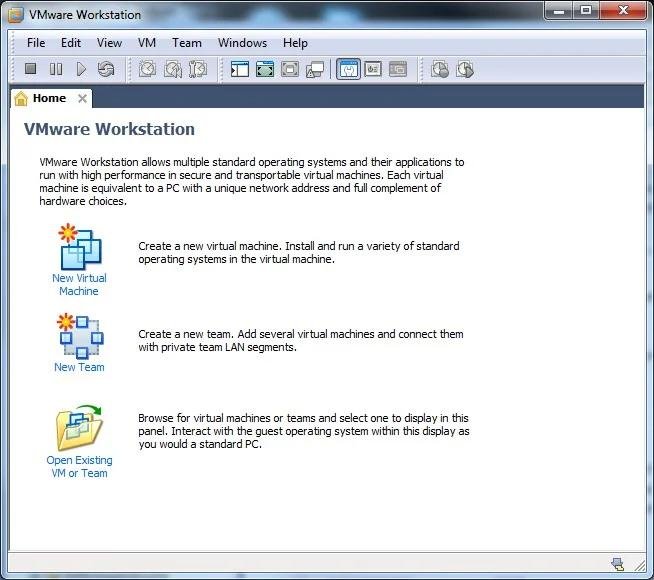
VMware is one of the most powerful and widely used virtualization platforms in the world. Whether you’re a developer, IT administrator, cybersecurity professional, student, or technology enthusiast, VMware provides a reliable way to run multiple operating systems on a single computer.
While many users know VMware for creating virtual machines, the software includes numerous advanced features that improve performance, security, networking, testing, and system management. Understanding these features can help users get the most out of their virtualization environment.
In this guide, we’ll explain VMware’s most important features and how they benefit users in 2026.
Table of Contents
ToggleWhat Is VMware?
VMware is virtualization software that allows multiple operating systems to run simultaneously on one physical computer.
Each operating system runs inside its own virtual machine (VM), complete with virtual hardware such as:
- CPU
- RAM
- Storage
- Network adapters
- Graphics devices
This makes VMware ideal for testing, development, training, and business environments.
VMware Features Overview
Key VMware Features
| Feature | Purpose |
|---|---|
| Virtual Machines | Run multiple operating systems |
| Snapshots | Save and restore VM states |
| Cloning | Duplicate virtual machines |
| Virtual Networking | Create custom network environments |
| Shared Folders | Transfer files easily |
| VMware Tools | Improve VM performance |
| Encryption | Secure virtual machines |
| Virtual TPM | Support modern operating systems |
These features make VMware one of the most comprehensive virtualization solutions available.
1. Virtual Machine Creation
The core feature of VMware is virtual machine creation.
A virtual machine behaves like an independent computer running inside your existing operating system.
Benefits
- Multiple operating systems.
- Isolated environments.
- Safe experimentation.
- Better resource utilization.
Common Guest Operating Systems
| Operating System | Supported |
|---|---|
| Windows 11 | Yes |
| Windows 10 | Yes |
| Ubuntu Linux | Yes |
| Debian Linux | Yes |
| Windows Server | Yes |
VMware supports a wide range of operating systems.
2. Snapshot Functionality
Snapshots are one of VMware’s most useful features.
A snapshot captures the complete state of a virtual machine at a specific moment.
Snapshot Benefits
| Benefit | Description |
|---|---|
| Easy Recovery | Restore previous states |
| Software Testing | Experiment safely |
| Error Correction | Undo mistakes quickly |
| Faster Troubleshooting | Simplified problem solving |
Snapshots allow users to revert a VM to a known working condition within seconds.
3. Virtual Machine Cloning
Cloning allows users to create exact copies of existing virtual machines.
Types of Clones
| Clone Type | Purpose |
|---|---|
| Full Clone | Independent copy |
| Linked Clone | Shares disk resources |
Advantages
- Saves setup time.
- Creates test environments quickly.
- Simplifies deployment.
Developers and IT teams frequently use cloning to replicate environments.
4. Virtual Networking
VMware provides advanced networking capabilities.
Users can create custom network environments for testing and training.
Final Thoughts
VMware offers far more than simple virtual machine creation. Features such as snapshots, cloning, virtual networking, VMware Tools, encryption, virtual TPM support, shared folders, and advanced resource management make it one of the most powerful virtualization platforms available in 2026.
Whether you’re building development environments, testing software, studying cybersecurity, or managing enterprise systems, VMware provides the tools needed to create secure, efficient, and highly customizable virtual environments. Understanding these features allows users to fully leverage VMware’s capabilities and maximize productivity.