
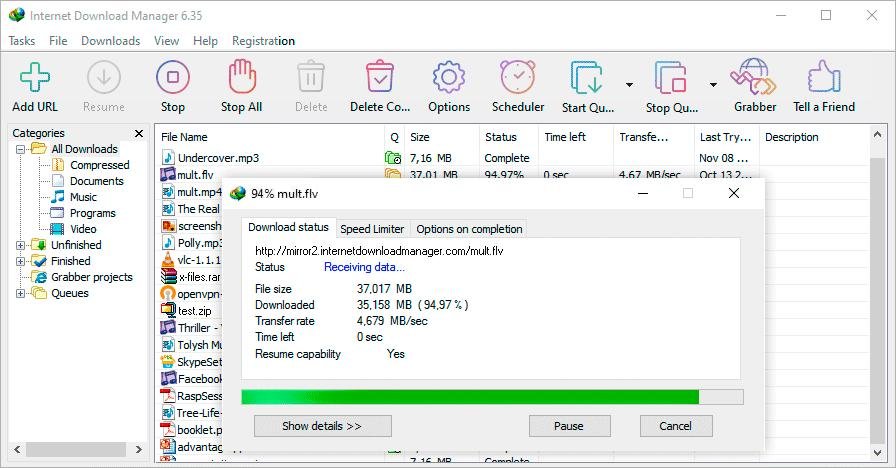
Internet Download Manager (IDM) is widely known for its ability to accelerate file downloads and improve download reliability. For years, Windows users have relied on IDM to download software, videos, documents, and large files faster than they could with standard browser download managers.
But how does IDM actually increase download speeds? Is it simply a marketing claim, or does the software use real technology to improve performance? In this article, we’ll explain how IDM works, the technology behind download acceleration, and the factors that affect its effectiveness.
Table of Contents
ToggleHow Standard Browser Downloads Work
Most web browsers use a relatively simple download process.
Traditional Download Method
| Step | Description |
|---|---|
| Connection Established | Browser connects to server |
| Single Data Stream | File downloads through one connection |
| Continuous Transfer | Data arrives sequentially |
| Download Complete | File is assembled locally |
While modern browsers have improved considerably, they often lack the advanced optimization features found in dedicated download managers.
This technology is one of IDM’s biggest strengths.
Connection Optimization
IDM continuously monitors network performance and adjusts its behavior accordingly.
Optimization Techniques
| Technique | Purpose |
|---|---|
| Multiple Connections | Increase throughput |
| Automatic Retries | Handle temporary failures |
| Connection Recovery | Resume interrupted downloads |
| Bandwidth Management | Improve efficiency |
These optimizations help maintain consistent download performance.
Browser Integration and Faster Download Handling
IDM integrates directly with major web browsers.
Supported Browsers
When IDM detects downloadable content, it automatically takes over the download process and applies its acceleration technologies.
Does IDM Always Increase Download Speeds?
Not necessarily.
Several factors influence whether IDM can improve performance.
Factors Affecting Speed
If a server already limits download speeds, IDM may not be able to overcome those restrictions.
Situations Where IDM Works Best
IDM typically provides the greatest benefits when:
- Downloading large files.
- Using fast internet connections.
- Downloading from servers that support multiple connections.
- Managing multiple downloads simultaneously.
- Recovering interrupted downloads.
Users with stable high-speed internet often notice the most significant improvements.
Feature Comparison
This comparison highlights why many users still prefer IDM over built-in browser tools.
Is IDM Worth Using for Faster Downloads?
For users who frequently download large files, videos, software packages, or media content, IDM remains one of the most effective download managers available.
Its combination of file segmentation, intelligent download optimization, resume support, and browser integration helps improve efficiency and often results in noticeably faster downloads compared to standard browser tools.
Final Thoughts
IDM increases download speeds primarily through intelligent file segmentation and multiple simultaneous connections. Rather than relying on a single download stream, it divides files into smaller sections and downloads them in parallel, allowing users to make better use of available bandwidth.
While IDM cannot exceed the limits of your internet connection or bypass server restrictions, it often delivers faster and more reliable downloads than standard browser download managers. For users who regularly download large files, IDM continues to be a valuable tool in 2026.