
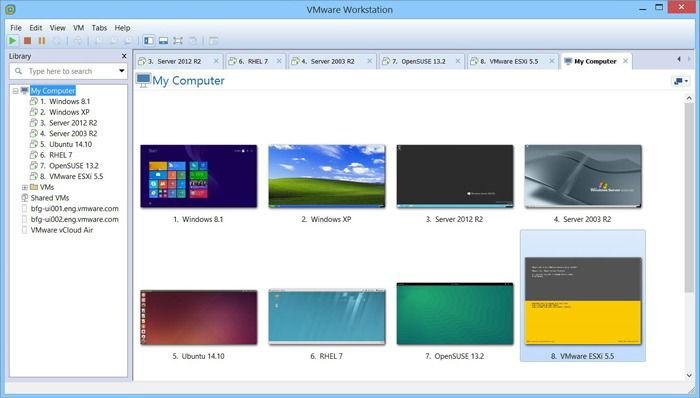
Virtual machines (VMs) have become one of the most valuable tools in modern computing. By allowing multiple operating systems to run on a single physical computer, virtual machines provide flexibility, security, and efficiency for individuals and businesses alike.
From software testing to cybersecurity training, virtual machines serve a wide range of purposes. Whether you’re a beginner learning Linux or an IT professional managing complex environments, understanding the best uses for virtual machines can help you take full advantage of virtualization technology.
In this guide, we’ll explore the most practical and popular uses for virtual machines in 2026.
Table of Contents
ToggleWhat Is a Virtual Machine?
A virtual machine is a software-based computer that runs within another computer. It has its own operating system, virtual hardware, storage, memory, and networking capabilities.
For example, a Windows computer can run:
- Ubuntu Linux
- Windows Server
- Kali Linux
- Older Windows versions
All without modifying the main operating system.
Why Are Virtual Machines Popular?
Virtual machines offer several advantages over physical hardware.
Key Benefits
| Benefit | Description |
|---|---|
| Cost Savings | No need for additional computers |
| Flexibility | Run multiple operating systems |
| Security | Isolated environments |
| Easy Testing | Experiment safely |
| Resource Efficiency | Better hardware utilization |
These advantages make virtual machines useful in both personal and professional settings.
1. Software Testing
One of the most common uses for virtual machines is software testing.
Developers frequently test applications on different operating systems before releasing them.
Benefits for Developers
- Test software safely.
- Simulate various environments.
- Verify compatibility.
- Detect bugs earlier.
Example
| Host System | Virtual Machine |
|---|---|
| Windows 11 | Windows 10 |
| Windows 11 | Ubuntu Linux |
| Linux | Windows 11 |
This allows developers to ensure applications function correctly across multiple platforms.
2. Learning New Operating Systems
Virtual machines are excellent learning tools.
Instead of replacing your primary operating system, you can install a new one inside a VM.
Popular Learning Platforms
| Operating System | Purpose |
|---|---|
| Ubuntu | Linux learning |
| Debian | Server administration |
| Kali Linux | Security training |
| Windows Server | Enterprise skills |
This approach allows users to learn without risking their primary system.
3. Cybersecurity Training
Cybersecurity professionals frequently rely on virtual machines.
Common Uses
- Penetration testing.
- Malware analysis.
- Security research.
- Ethical hacking labs.
Virtual machines provide isolated environments that reduce risk when working with potentially dangerous software.
Advantages
| Benefit | Description |
|---|---|
| Isolation | Protects host computer |
| Recovery | Easy rollback using snapshots |
| Safe Experimentation | Controlled environment |
For cybersecurity students, virtual machines are often essential.
Final Thoughts
Virtual machines have transformed the way individuals and organizations use computers. Whether you’re testing software, learning Linux, building cybersecurity labs, running legacy applications, or managing virtual servers, VMs provide a flexible and efficient solution.
As virtualization technology continues to evolve, virtual machines remain one of the most useful tools for developers, students, IT professionals, and businesses. Their ability to create isolated, customizable, and cost-effective environments ensures they will continue to play an important role in computing throughout 2026 and beyond.