
Downloading files is something most Windows users do every day. Whether you’re downloading software, videos, games, documents, or large media files, a reliable download manager can improve speed, organization, and download stability. While modern browsers include built-in download tools, dedicated download managers often provide advanced features such as download acceleration, scheduling, resume support, and batch downloading.
Table of Contents
ToggleWhy Use a Download Manager?
A download manager offers several advantages over standard browser downloads.
Key Benefits
- Faster download speeds.
- Resume interrupted downloads.
- Better file organization.
- Batch download support.
- Download scheduling.
- Improved stability for large files.
For users who frequently download large files, a download manager can significantly improve efficiency.
Top Download Managers for Windows
Quick Comparison Table
| Download Manager | Best For | Free Version | Browser Integration | Resume Downloads |
|---|---|---|---|---|
| Internet Download Manager (IDM) | Speed & Reliability | Trial Only | Excellent | Yes |
| Free Download Manager (FDM) | Free Downloads | Yes | Very Good | Yes |
| JDownloader | Advanced Users | Yes | Good | Yes |
| Xtreme Download Manager (XDM) | Open-Source Alternative | Yes | Good | Yes |
| Ninja Download Manager | Media Downloads | Limited | Good | Yes |
| EagleGet | Lightweight Usage | Yes | Good | Yes |
Each tool offers unique advantages depending on your downloading needs.
1. Internet Download Manager (IDM)
IDM remains one of the most popular download managers for Windows users.
Its advanced file segmentation technology allows it to split downloads into multiple parts, often resulting in faster download speeds.
Key Features
- Download acceleration.
- Resume capability.
- Browser integration.
- Batch downloads.
- Download scheduling.
- Video detection.
Pros
- Excellent speed optimization.
- Reliable performance.
- Easy-to-use interface.
Cons
- Requires a paid license after the trial period.
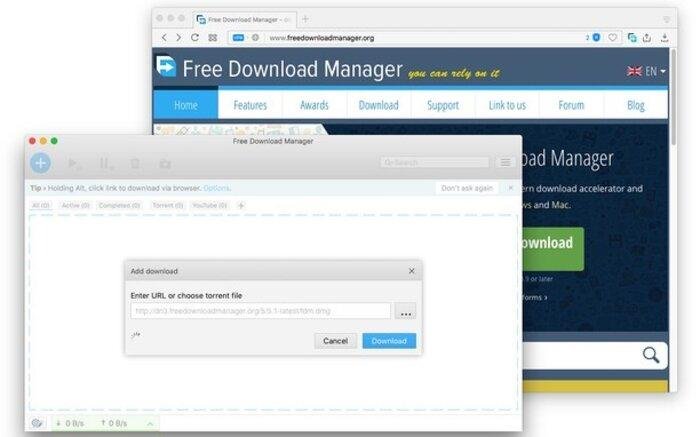
2. Free Download Manager (FDM)
Free Download Manager is one of the best free alternatives to IDM.
The software provides many premium-level features without requiring a subscription or license fee.
Features
| Feature | Availability |
|---|---|
| Download Acceleration | Yes |
| Torrent Support | Yes |
| Resume Downloads | Yes |
| Scheduling | Yes |
| Browser Integration | Yes |
Advantages
- Completely free.
- Modern interface.
- Supports torrent downloads.
- Multi-platform compatibility.
3. JDownloader
JDownloader is a powerful download manager designed for advanced users.
It supports downloading from file-hosting services and can automate many repetitive download tasks.
Best Features
- Link management.
- CAPTCHA handling.
- Download automation.
- Plugin support.
Ideal For
Users who frequently download from file-sharing websites.
4. Xtreme Download Manager (XDM)
XDM is a free and lightweight download manager known for its speed optimization and browser integration.
Advantages
- Open-source availability.
- Video downloading support.
- Resume downloads.
- Simple interface.
Drawbacks
- Fewer advanced features than IDM.
5. Ninja Download Manager
Ninja Download Manager focuses heavily on media downloading and file management.
Features
- Sequential file downloading.
- Media preview support.
- Download acceleration.
- Organized file management.
Best For
Users who frequently download videos and multimedia content.
Which Download Manager Is Fastest?
Speed depends on:
- Internet connection quality.
- Server limitations.
- File size.
- Download manager technology.
General Ranking
| Rank | Download Manager |
|---|---|
| 1 | IDM |
| 2 | FDM |
| 3 | XDM |
| 4 | Ninja Download Manager |
| 5 | JDownloader |
In many real-world tests, IDM consistently delivers excellent performance for large downloads.
Final Verdict
The best download manager for Windows depends on your specific needs. Internet Download Manager remains the top choice for users seeking maximum performance, reliability, and advanced download acceleration. Free Download Manager offers exceptional value with strong features at no cost, while JDownloader and XDM appeal to users who want more flexibility and customization.
In 2026, dedicated download managers continue to offer significant advantages over standard browser downloads, especially for users who regularly download large files, videos, software packages, and media content. Choosing the right tool can save time, improve organization, and provide a smoother downloading experience.