
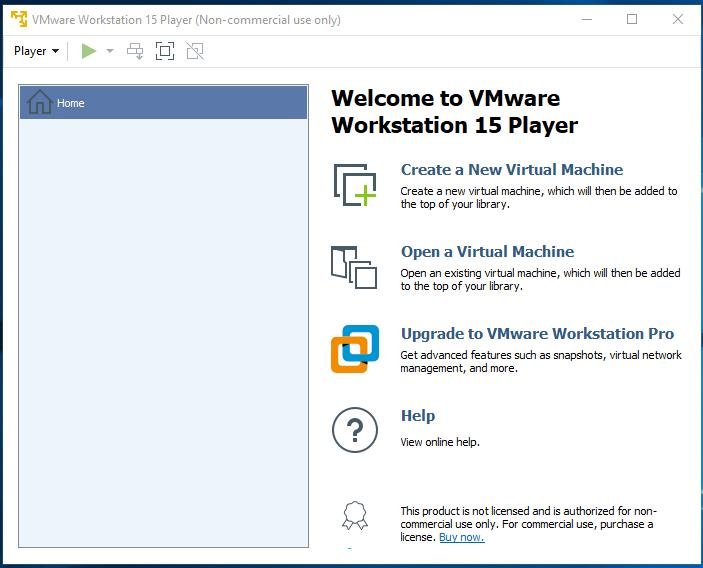
Virtualization has become an important part of modern computing, allowing users to run multiple operating systems on a single computer. One of the most popular virtualization platforms is VMware. Whether you’re a student, developer, IT professional, or technology enthusiast, VMware provides a powerful and flexible way to create virtual machines for testing, learning, and development.
If you’re new to virtualization, this beginner’s guide will help you understand what VMware is, how it works, and how to get started with your first virtual machine.
Table of Contents
ToggleWhat Is VMware?
VMware is a virtualization software platform that allows users to run multiple operating systems on one physical computer. Instead of installing another operating system directly on your hard drive, VMware creates a virtual machine (VM) that acts like a separate computer inside your existing system.
For example, you can run:
- Windows 11 on a Windows PC.
- Ubuntu Linux on Windows.
- Windows Server on Linux.
- Multiple operating systems simultaneously.
Each virtual machine operates independently and has its own virtual hardware.
Why Use VMware?
VMware offers many benefits for both beginners and advanced users.
Main Advantages
These advantages make VMware useful in both personal and professional environments.
Understanding Virtual Machines
A virtual machine is essentially a software-based computer.
Components of a Virtual Machine
The virtual machine uses your computer’s physical hardware while operating as an independent system.
VMware Products Explained
VMware offers several products, but beginners usually start with VMware Workstation.
Popular VMware Products
| Product | Purpose |
|---|---|
| VMware Workstation Pro | Advanced desktop virtualization |
| VMware Workstation Player | Basic virtual machine usage |
| VMware Fusion | Virtualization for macOS |
| VMware ESXi | Enterprise server virtualization |
For learning purposes, VMware Workstation is often the best choice.
System Requirements
Before installing VMware, make sure your computer meets the necessary requirements.
Recommended Specifications
| Component | Recommendation |
|---|---|
| Processor | Intel VT-x or AMD-V support |
| RAM | 8 GB minimum, 16 GB preferred |
| Storage | SSD recommended |
| Operating System | Windows or Linux |
| Free Disk Space | 50 GB or more |
Best Uses for VMware
VMware can be used for many purposes.
Popular Applications
- Learning Linux.
- Software testing.
- Application development.
- Cybersecurity labs.
- Server simulations.
- Network training.
- Running legacy software.
Its flexibility makes it valuable for users at every skill level.
VMware Pros and Cons
Pros
- Excellent performance.
- Stable virtualization platform.
- Advanced features.
- Snapshot support.
- Strong operating system compatibility.
Cons
- Can require significant system resources.
- Some features may be complex for beginners.
- Better performance often requires modern hardware.
Despite these drawbacks, VMware remains one of the best virtualization solutions available.
Final Thoughts
VMware is an excellent platform for anyone interested in virtualization. It allows users to safely run multiple operating systems, test software, learn new technologies, and create isolated environments without purchasing additional hardware.
For beginners, VMware may seem complex at first, but its user-friendly interface, powerful features, and extensive documentation make learning easier than ever. Once you understand virtual machines, snapshots, networking, and VMware Tools, you’ll be able to take full advantage of one of the most powerful virtualization platforms available in 2026.