
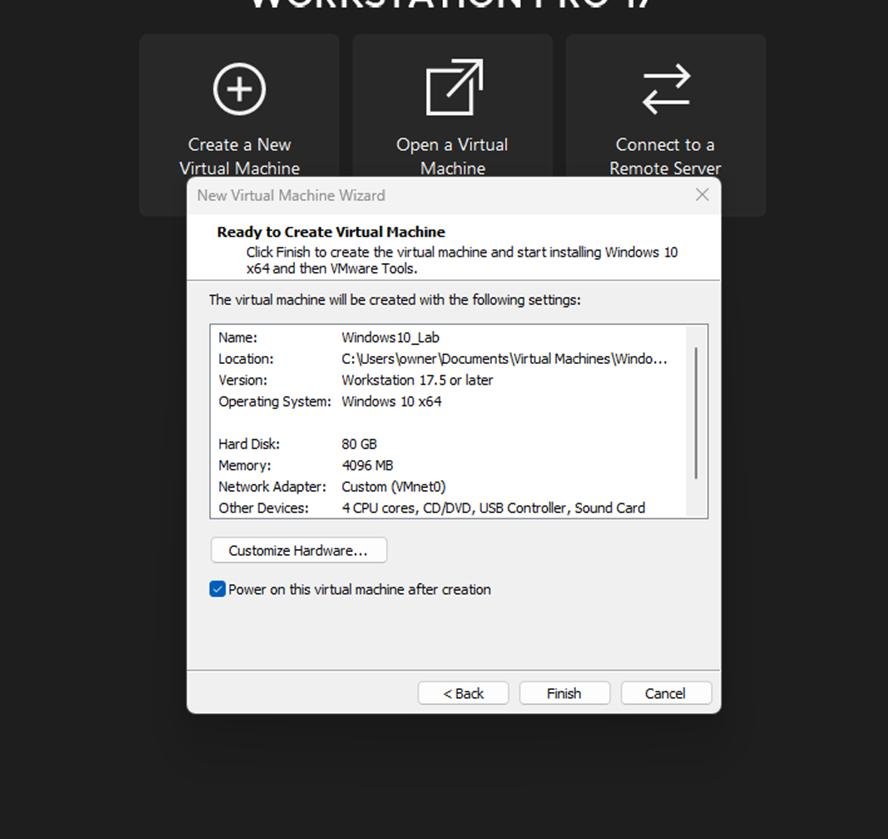
Virtualization has become an essential part of modern learning and software development. Among all virtualization tools, VMware stands out as one of the most reliable and powerful platforms for students and developers. It allows users to run multiple operating systems on a single computer, making it ideal for testing, experimentation, and hands-on learning.
Whether you are learning programming, studying cybersecurity, or building software applications, VMware provides a safe and flexible environment where you can experiment without risking your main system.
Table of Contents
ToggleWhy VMware Is Useful for Students
VMware Workstation helps students learn practical skills that go beyond textbooks.
Key Benefits for Students
- Run Linux and Windows side by side
- Practice operating system concepts safely
- Learn networking and server management
- Test software without damaging the main system
- Build cybersecurity labs for hands-on learning
For computer science and IT students, VMware acts like a virtual computer lab that can be used anytime.
Learning Programming with VMware
Students learning programming languages such as Python, Java, C++, or web development can benefit greatly from VMware.
Advantages for Developers in Training
| Feature | Benefit |
|---|---|
| Multiple OS environments | Test code across systems |
| Isolation | Prevent system crashes from affecting host |
| Snapshots | Save working development states |
| Flexibility | Install tools freely |
For example, a student can code in Linux while using Windows as the main system, without needing two physical machines.
VMware for Professional Developers
For developers, VMware provides a powerful environment for building and testing applications.
Common Development Uses
- Testing cross-platform applications
- Running backend servers locally
- Simulating production environments
- Debugging software in different OS setups
Developers often use multiple virtual machines to replicate real-world server environments.
Cybersecurity and Ethical Hacking Labs
VMware is widely used in cybersecurity education.
Students can safely practice security techniques without exposing real systems to risk.
Use Cases in Cybersecurity
- Running Kali Linux for penetration testing
- Malware analysis in isolated environments
- Network security simulations
- Firewall and intrusion detection testing
Snapshots make it easy to revert systems after testing potentially harmful files.
Setting Up a Learning Lab
Students and developers can build complete virtual labs using VMware.
Example Lab Setup
| Virtual Machine | Purpose |
|---|---|
| Windows 11 | Primary testing system |
| Ubuntu Linux | Programming and scripting |
| Kali Linux | Security testing |
| Windows Server | Networking practice |
This setup helps simulate real-world IT environments.
Performance Tips for Students
To run VMware smoothly on student laptops or PCs:
- Allocate 4–8 GB RAM per VM (if possible)
- Use SSD storage instead of HDD
- Avoid running too many VMs at once
- Install VMware Tools for better performance
Even mid-range laptops can run VMware efficiently with proper configuration.
Advantages of VMware for Developers
VMware Workstation offers several advantages for software development workflows:
- Consistent testing environments
- Easy rollback using snapshots
- Multiple OS testing without dual boot
- Faster debugging and deployment testing
- Better isolation for experimental code
This makes it a preferred tool in professional development teams.
Limitations to Consider
While VMware is powerful, students and developers should also be aware of its limitations:
- Requires strong hardware for best performance
- Paid version offers advanced features
- Can be resource-intensive with multiple VMs
- Slight learning curve for beginners
However, most of these challenges can be managed with proper system optimization.
Final Thoughts
VMware is an excellent tool for both students and developers who want to gain hands-on experience in computing, programming, networking, and cybersecurity. It provides a safe and flexible environment where users can learn, test, and experiment without affecting their main operating system.
For students, it acts as a virtual lab for learning real-world IT skills. For developers, it provides a powerful testing environment for building and debugging applications across multiple platforms.
In 2026, VMware remains one of the most valuable tools for anyone serious about technology, software development, or IT education.