
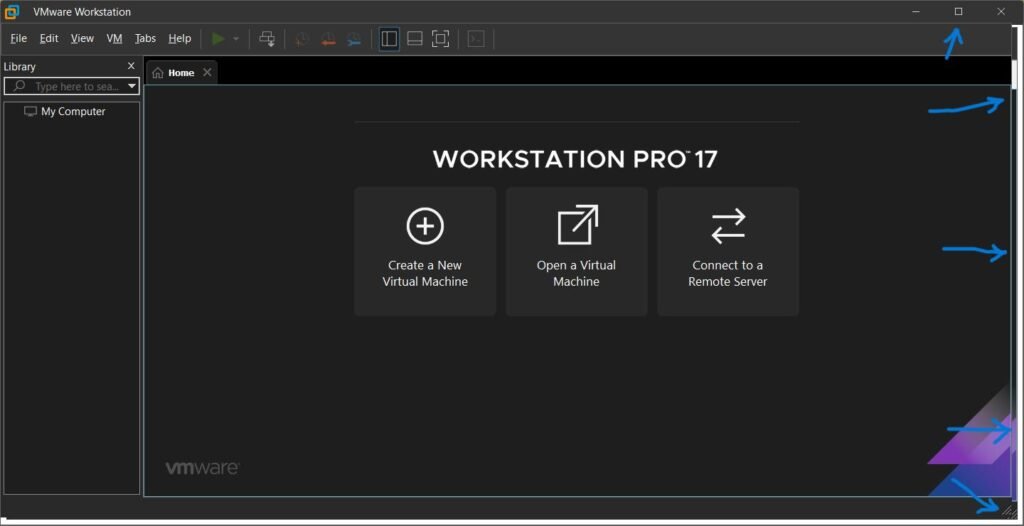
Virtualization software has become an essential tool for developers, IT professionals, cybersecurity researchers, and technology enthusiasts. Among the many virtualization solutions available, VMware Workstation 17 remains one of the most powerful and feature-rich options for Windows and Linux users.
In this review, we’ll examine VMware Workstation 17’s features, performance, advantages, disadvantages, and whether it’s still worth using in 2026.
Table of Contents
ToggleWhat Is VMware Workstation 17?
Using VMware, you can create virtual machines (VMs) that function like independent computers.
Common Uses
- Software testing.
- Application development.
- Cybersecurity labs.
- Operating system experimentation.
- Server simulation.
- Educational purposes.
This flexibility makes VMware Workstation one of the most popular virtualization platforms available.
Key Features Overview
VMware Workstation 17 Features
| Feature | Description |
|---|---|
| Multiple Virtual Machines | Run several operating systems simultaneously |
| Snapshot Support | Save and restore VM states |
| Virtual Networking | Create custom network environments |
| 3D Graphics Support | Improved graphical performance |
| Secure Virtual Machines | Enhanced security options |
| Shared Folders | Easy file transfer between host and guest |
| Virtual TPM Support | Windows 11 compatibility |
| Clone Functionality | Duplicate virtual machines quickly |
These features help both beginners and advanced users manage virtual environments efficiently.
Installation and Setup
Installing VMware Workstation 17 is relatively straightforward.
The setup wizard guides users through:
- Software installation.
- License activation.
- Network configuration.
- Virtual machine creation.
Most users can create their first virtual machine within minutes.
System Requirements
| Requirement | Recommended |
|---|---|
| RAM | 16 GB or more |
| CPU | Multi-core processor |
| Storage | SSD preferred |
| Virtualization Support | Intel VT-x or AMD-V |
| Operating System | Windows or Linux |
Higher-end hardware provides a smoother virtualization experience.
Performance
Performance is one of VMware Workstation 17’s strongest areas.
The software efficiently allocates CPU, RAM, and storage resources to virtual machines while maintaining system stability.
Performance Highlights
- Fast virtual machine startup.
- Smooth multitasking.
- Efficient memory management.
- Excellent hardware compatibility.
- Strong SSD optimization.
Users with modern hardware can run multiple virtual machines simultaneously without major slowdowns.
Performance Rating
VMware continues to be an industry leader in virtualization performance.
Virtual Machine Management
VMware Workstation 17 offers advanced VM management tools.
Useful Management Features
| Feature | Purpose |
|---|---|
| Snapshots | Restore previous states |
| Cloning | Duplicate virtual machines |
| VM Encryption | Improve security |
| Resource Allocation | Customize performance |
| VM Libraries | Organize virtual machines |
These tools simplify testing and experimentation.
Snapshot Functionality
Snapshots are among VMware’s most valuable features.
A snapshot captures the exact state of a virtual machine, allowing users to restore it later if needed.
Benefits
- Safe software testing.
- Easy rollback after errors.
- Faster troubleshooting.
- Ideal for learning environments.
Developers and IT professionals use snapshots extensively.
Windows 11 Compatibility
VMware Workstation 17 introduced better support for Windows 11.
Windows 11 Features
| Feature | Supported |
|---|---|
| Virtual TPM (vTPM) | Yes |
| Secure Boot | Yes |
| UEFI Firmware | Yes |
| Modern Hardware Emulation | Yes |
These additions make VMware suitable for testing modern operating systems.
Networking Capabilities
Virtual networking is another area where VMware excels.
Users can create:
- NAT networks.
- Bridged networks.
- Host-only networks.
- Custom virtual networks.
Common Uses
- Server testing.
- Network simulations.
- Security training.
- Software development environments.
Advanced networking options make VMware popular among IT professionals.
Final Verdict
VMware Workstation 17 remains one of the most powerful desktop virtualization solutions available in 2026. Its excellent performance, advanced networking capabilities, snapshot management, security features, and strong operating system compatibility make it a top choice for professionals and enthusiasts alike.
Although it requires capable hardware and may be more complex than some alternatives, the software delivers outstanding reliability and flexibility. For developers, IT administrators, cybersecurity professionals, and anyone serious about virtualization, VMware Workstation 17 continues to be one of the best investments in desktop virtualization software.